


Annual Rent Review
Since March 2023, residents have been asked to complete their ‘Confidential Income Statement’ (CIS) through an online digital platform called ‘Keyholder’. Residents are sent a link by email to complete their digital Rent Assessment in respect of their current household members and income into the home. Any resident who does not have an email address will receive the CIS form by post. To prepare, start gathering proof of income documentation. This may include documents such as payslips for proof of employment, receipts for proof of Social Welfare payments, proof of college attendance or proof of child maintenance payments. For further details, visit the FAQ at the bottom of this page.
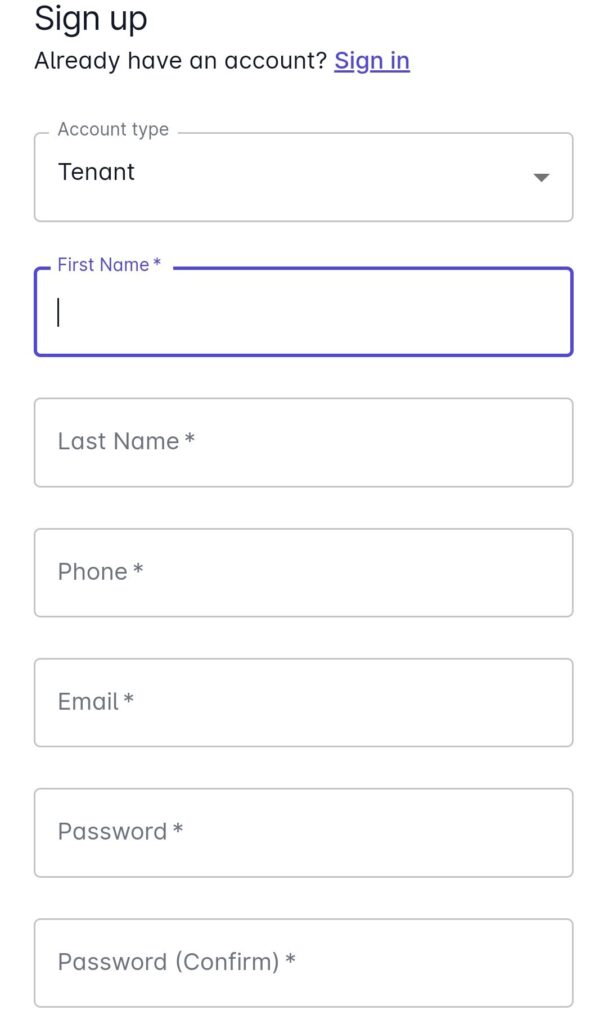
For residents using our digital Rent Assessment, when the link is sent in January 2026, need to set up an account on the Keyholder platform (as shown below if they haven’t set up an account previously) before being able to complete the digital Confidential Income Statement.


How to complete your digital Confidential Information Form
There are three stages of this process to complete online. Residents must complete all three stages before they can submit their rent assessment.
Stage 1: Confirm your contact details
Stage 2: Confirm the occupants of your household.
Stage 3: Confirm the income details for all occupants over the age of 18 and attach evidence of income for each occupant.
After completing the required information and uploading income evidence, residents must click ‘Submit Request’ at the bottom right of the platform. This will send the form back to Tuath and mark it as ‘accepted’ by the resident on their portal. This means that the process is complete.
Frequently Asked Questions on the Digital Rent Assessment
Annually, at the beginning of the year, residents will be sent a link or a form by post to a digital rent assessment or paper form and informed of the deadline to submit it. Your new rent calculation will apply in April of that year.
Please upload / attach two or three recent wage slips from your employer as evidence of your income. When submitting your income details please only submit your Net Wage. You can calculate your net wage by deducting your three taxes: PAYE, PRSI and USC only from your gross wage.
If your income is welfare support, please upload / attach proof of your welfare. i.e. the latest receipt from An Post, or a bank statement if your welfare goes into the bank. You do not need to include the following payments in your welfare income: Winter Fuel Allowance, Living Alone Allowance, Child benefit, Domiciliary Allowance.
You must submit evidence to show whether they are in full time education, in employment, receiving social welfare or not in receipt of any income. If they are in full time education, submit a letter from their school or college outlining their enrolment/attendance. If they are in employment, submit their payslips. If they are in receipt of welfare, you submit their post office receipts and if they are not in receipt of a payment you must provide a letter from Social Welfare outlining that.
No, you must complete the digital rent assessment in one sitting. You cannot save your progress as you go along. For this reason, it is very important that residents prepare and have all the supporting income evidence documents at hand before starting to complete the form.
Documents can be uploaded in PDF, PNG and JPEG formats. This means that you can take a photo (using your phone for example) of a document to submit. You can also take a ‘screenshot’ photo of evidence on your phone or laptop.
Documents can be uploaded in PDF, PNG and JPEG formats. This means that you can take a photo (using your phone for example) of a document to submit. You can also take a ‘screenshot’ photo of evidence on your phone or laptop.
If you are experiencing technical difficulties with the digital platform or you are not sure how to complete it, please contact the Customer Service team on 1800 852 751.
Yes, if you can’t complete this online, you can contact us on 1800 852 751 and we will post out a paper version.